 sriram veeraghanta
b1c78fe4c8
sriram veeraghanta
b1c78fe4c8
* fix(api): rate-limit magic-code verification and bound per-token attempts

The magic-link sign-in / sign-up endpoints accept a 6-digit numeric code
(900k-value space, 600s TTL) but never increment a failure counter on a
wrong-code verify and extend django.views.View rather than DRF APIView,
so DRF's AuthenticationThrottle never runs against them. The space-side
generate endpoint also lacked throttle_classes. Combined, this allowed
an unauthenticated attacker who knew a victim's email to brute-force
the code within the TTL window and log in as the victim.

- Add MAX_VERIFY_ATTEMPTS=5 in MagicCodeProvider.set_user_data: failed
  comparisons now persist verify_attempts in Redis under the remaining
  TTL and, on hitting the limit, delete the key and raise
  EMAIL_CODE_ATTEMPT_EXHAUSTED. This is the load-bearing fix - it caps
  total attempts per issued token regardless of request rate.
- Add authentication_throttle_allows() so plain Django Views can apply
  AuthenticationThrottle without converting to APIView (would change
  CSRF + request-parsing semantics for the redirect-flow endpoints).
- Apply the throttle to MagicSignIn/UpEndpoint and the space variants;
  add throttle_classes to MagicGenerateSpaceEndpoint to match its app
  sibling.

Refs GHSA-9pvm-fcf6-9234.

* fix(api): make verify-attempt increment atomic, expose throttle rate via env

Address PR review feedback:

- Replace the JSON read-modify-write of verify_attempts with a Lua
  EVAL script that INCRs a dedicated counter key and EXPIREs it only
  on the first increment. The previous round-trip was racy: parallel
  wrong-code requests could read the same value and both write the
  same incremented count, letting an attacker exceed MAX_VERIFY_ATTEMPTS
  under concurrency. Counter is now reset on each new token issuance
  and cleared on successful verify / exhaustion.
- Make AuthenticationThrottle.rate configurable via the
  AUTHENTICATION_RATE_LIMIT env var (default 10/minute, down from 30
  to tighten the budget on unauth auth-adjacent endpoints). Document
  it in deployments/aio and deployments/cli variables.env.

* test(api): cover magic-code attempt cap, counter reset, and auth throttle

Add the contract tests called out in the PR test plan:

- TestMagicSignInVerifyAttempts:
  - test_exhausted_after_max_wrong_attempts: after MAX_VERIFY_ATTEMPTS
    wrong codes the next verify redirects with EMAIL_CODE_ATTEMPT_
    EXHAUSTED_SIGN_IN and both Redis keys are deleted; a follow-up
    verify reports EXPIRED.
  - test_counter_increments_on_each_wrong_attempt: the dedicated
    verify_attempts counter advances by exactly one per wrong POST,
    matching the atomic Lua INCR.
  - test_counter_resets_on_token_regeneration: regenerating the
    magic-link clears the counter so the user isn't pre-locked-out by
    a prior session's wrong attempts.
- TestMagicSignUpVerifyAttempts.test_signup_exhausted_after_max_wrong_attempts:
  the sign-up endpoint returns EMAIL_CODE_ATTEMPT_EXHAUSTED_SIGN_UP on
  the exhausting attempt.
- TestAuthenticationThrottle: exercises authentication_throttle_allows
  on the plain-View redirect-flow endpoints by patching the rate down
  and asserting RATE_LIMIT_EXCEEDED is appended to the redirect URL
  once the per-IP budget is exceeded, for both magic-sign-in and
  magic-sign-up.

Each new class clears Django cache (DRF throttle storage) and the
per-email Redis keys around every test so runs are independent.

* fix(api): clamp remaining_ttl to >=1 for verify-attempt counter EXPIRE

ri.ttl() returns 0 when the token has less than one second remaining
(Redis floors to whole seconds). The previous clamp only caught
None and < 0, so a sub-second TTL would pass through and the Lua
script's EXPIRE counter 0 would immediately delete the key — letting
an attacker bypass MAX_VERIFY_ATTEMPTS during the final second of the
token's life. Switch the comparison to <= 0.

Narrow real-world impact (sub-second window, throttle still bounds
the rate) but the cap should hold regardless of timing.

Modern project management for all teams
Website • Forum • X • Documentation
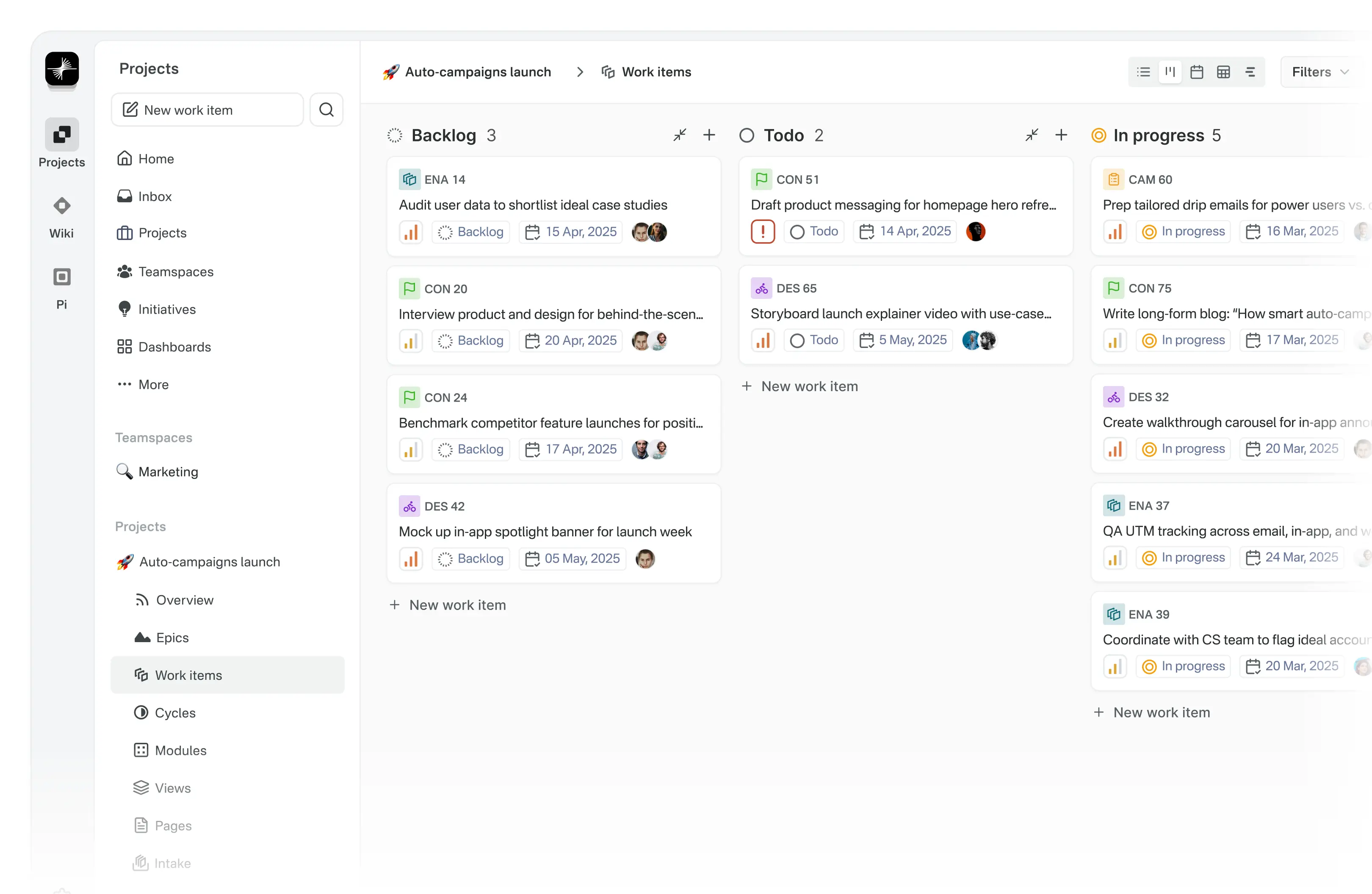
Meet Plane, an open-source project management tool to track issues, run sprints cycles, and manage product roadmaps without the chaos of managing the tool itself. 🧘♀️
Plane is evolving every day. Your suggestions, ideas, and reported bugs help us immensely. Do not hesitate to join in the conversation on Forum or raise a GitHub issue. We read everything and respond to most.
🚀 Installation
Getting started with Plane is simple. Choose the setup that works best for you:
-
Plane Cloud Sign up for a free account on Plane Cloud—it's the fastest way to get up and running without worrying about infrastructure.
-
Self-host Plane Prefer full control over your data and infrastructure? Install and run Plane on your own servers. Follow our detailed deployment guides to get started.
| Installation methods | Docs link |
|---|---|
| Docker |  |
| Kubernetes |  |
Instance admins can configure instance settings with God mode.
🌟 Features
-
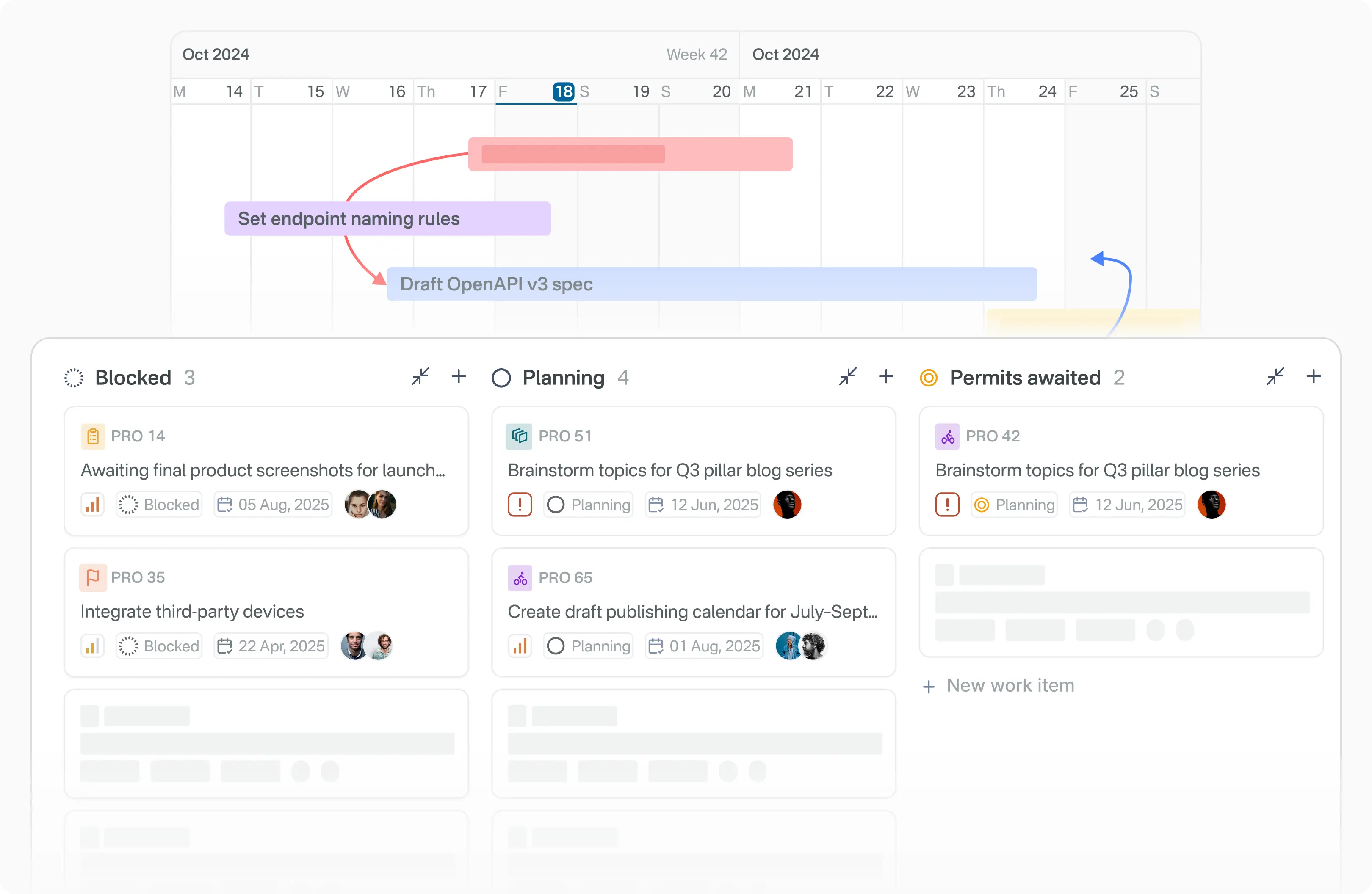
Work Items Efficiently create and manage tasks with a robust rich text editor that supports file uploads. Enhance organization and tracking by adding sub-properties and referencing related issues.
-
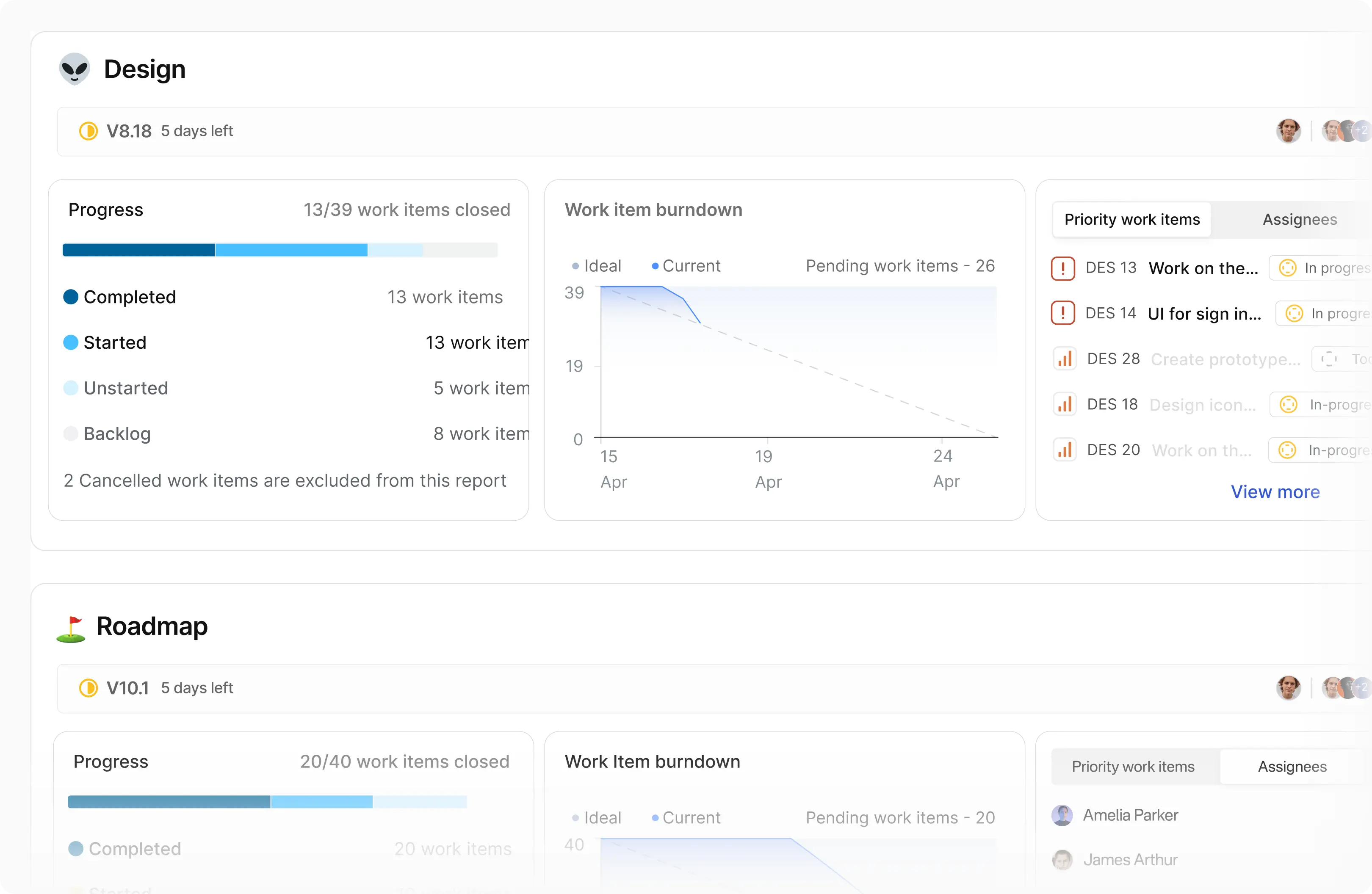
Cycles Maintain your team’s momentum with Cycles. Track progress effortlessly using burn-down charts and other insightful tools.
-
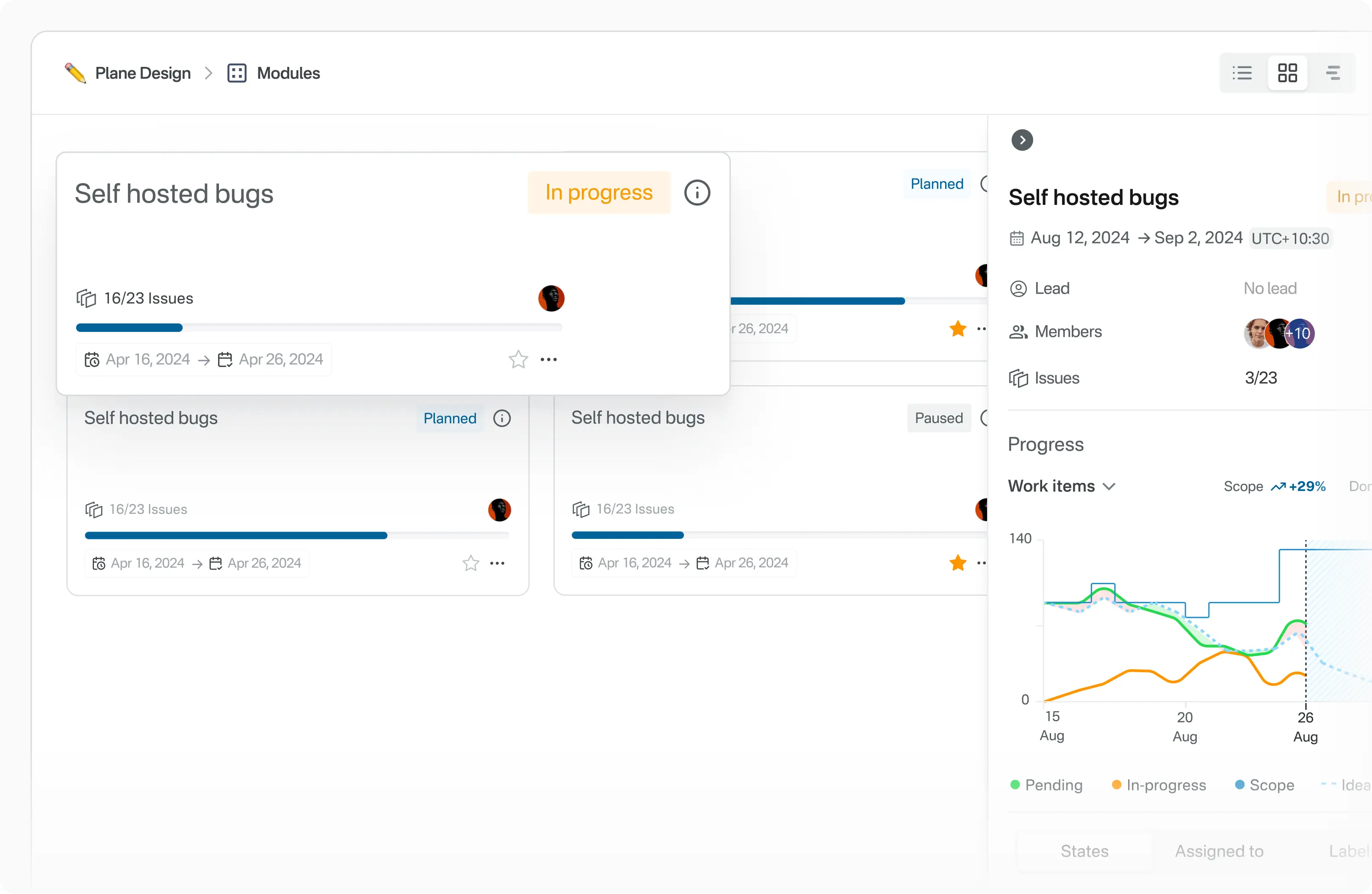
Modules Simplify complex projects by dividing them into smaller, manageable modules.
-
Views Customize your workflow by creating filters to display only the most relevant issues. Save and share these views with ease.
-
Pages Capture and organize ideas using Plane Pages, complete with AI capabilities and a rich text editor. Format text, insert images, add hyperlinks, or convert your notes into actionable items.
-
Analytics Access real-time insights across all your Plane data. Visualize trends, remove blockers, and keep your projects moving forward.
🛠️ Local development
See CONTRIBUTING
⚙️ Built with



📸 Screenshots
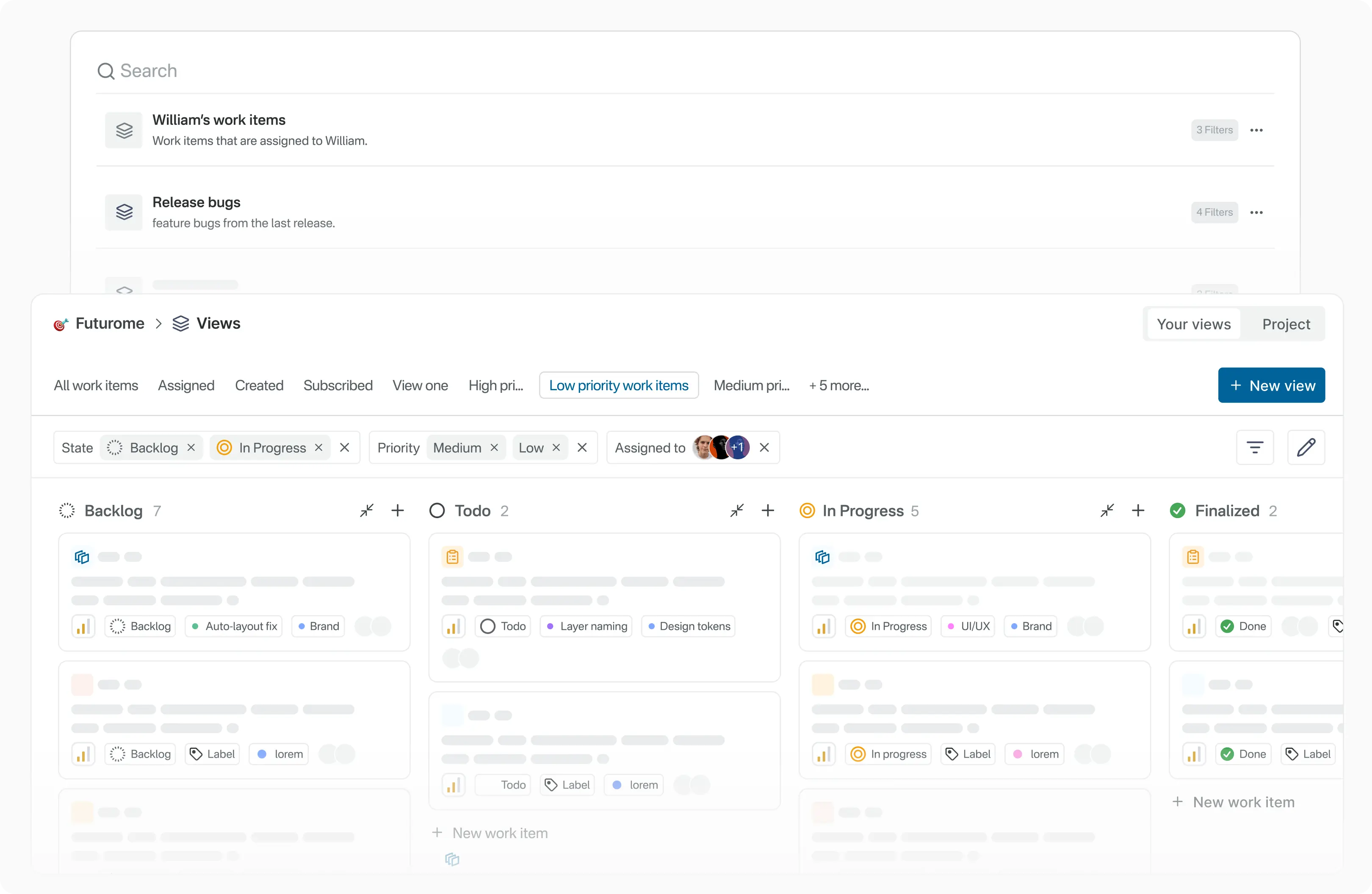
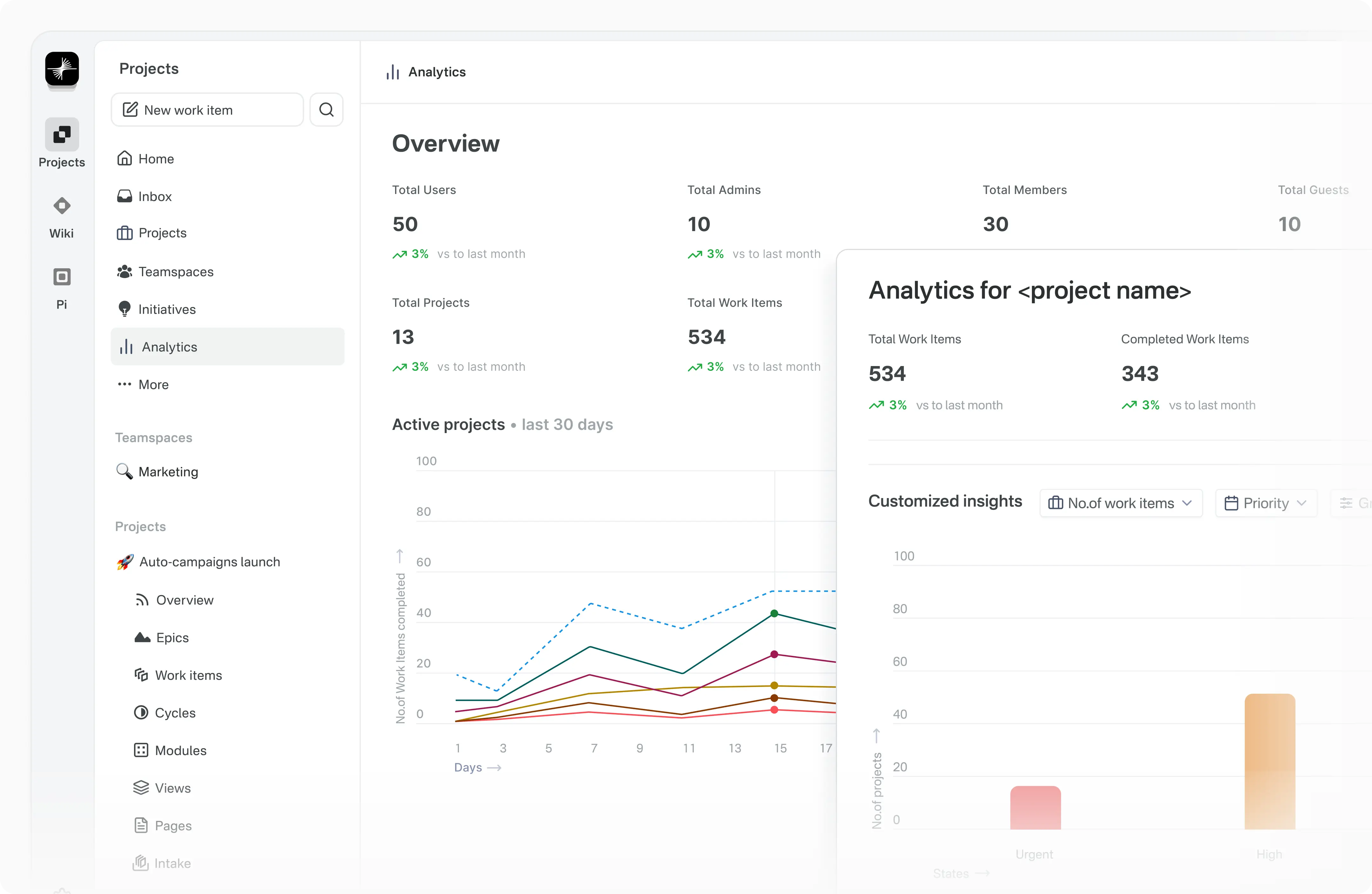
📝 Documentation
Explore Plane's product documentation and developer documentation to learn about features, setup, and usage.
❤️ Community
Join the Plane community on GitHub Discussions and our Forum. We follow a Code of conduct in all our community channels.
Feel free to ask questions, report bugs, participate in discussions, share ideas, request features, or showcase your projects. We’d love to hear from you!
🛡️ Security
If you discover a security vulnerability in Plane, please report it responsibly instead of opening a public issue. We take all legitimate reports seriously and will investigate them promptly. See Security policy for more info.
To disclose any security issues, please email us at security@plane.so.
🤝 Contributing
There are many ways you can contribute to Plane:
- Report bugs or submit feature requests.
- Review the documentation and submit pull requests to improve it—whether it's fixing typos or adding new content.
- Talk or write about Plane or any other ecosystem integration and let us know!
- Show your support by upvoting popular feature requests.
Please read CONTRIBUTING.md for details on the process for submitting pull requests to us.
Repo activity
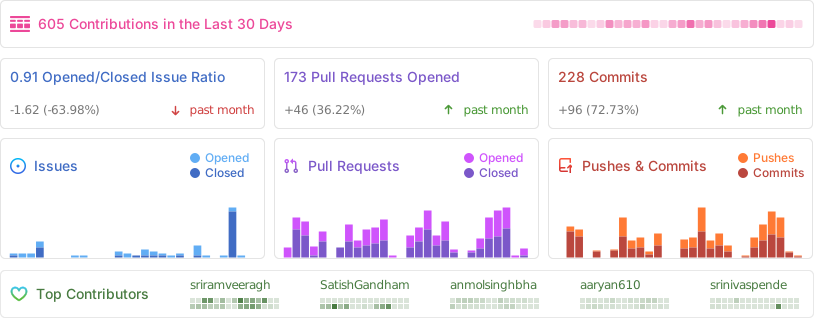
We couldn't have done this without you.
License
This project is licensed under the GNU Affero General Public License v3.0.