 Arvin Xu
373b5e90b2
Arvin Xu
373b5e90b2
* ✨ feat(device): run remote CC on a configured device with cwd + device context

Make `claude-code`/`codex` dispatched to an `lh connect` device (executionTarget
='device') run in the user's configured directory with a device-appropriate
system context, instead of inheriting the cloud-sandbox setup.

3a — server cwd passthrough:
- resolve the run cwd in the useDevice branch: topic-level workingDirectory
  override > the bound device's `defaultCwd` (read from DB via DeviceModel; the
  gateway only knows live connections, not the user-owned cwd), and pass it to
  dispatchAgentRun.

3b — device-specific systemContext, end to end:
- new `buildRemoteDeviceHeteroContext` — strips the cloud-sandbox boilerplate
  (ephemeral /workspace, pre-cloned repos, commit-or-lose warnings) that would
  mislead an agent on the user's own persistent machine; keeps agent static
  context + resumed conversation history + a minimal cwd note.
- thread `systemContext` through the contract: AgentRunRequestMessage,
  GatewayHttpClient.dispatchAgentRun, deviceProxy.dispatchAgentRun.
- desktop: spawnLhHeteroExec now injects systemContext as the first text block
  of a content-block array on stdin (mirrors spawnHeteroSandbox); previously it
  wrote only the bare prompt, so any context was silently dropped.

The gateway relays unknown fields transparently (`...runParams`), so no gateway
change is needed.

Tests: buildRemoteDeviceHeteroContext unit (6) + GatewayConnectionCtr forwards
cwd/systemContext. type-check clean; existing device/desktop/pkg suites green.

Part of LOBE-9579 (Step 3a/3b). Old ephemeral boundDeviceId migration (3d) and
the web cwd picker (3c) are out of scope here.

Co-Authored-By: Claude Opus 4.8 <noreply@anthropic.com>

* ✨ feat(device): optimistic device cwd persistence (defaultCwd + recentCwds)

Foundation for the device-scoped cwd picker (executionTarget=device): persist a
working-directory pick to the bound device's registry record so the server's
hetero dispatch (which reads device.defaultCwd) stays in sync and the picker can
offer recent dirs.

- nextRecentCwds: pure most-recent-first / dedupe / cap-20 list builder (the
  server stores recentCwds verbatim, so the client owns this) — unit tested.
- useUpdateDeviceCwd: optimistic `device.updateDevice` — patches the listDevices
  cache in onMutate for instant UI, invalidates onSettled to re-sync truth (self-
  corrects a failed write without manual rollback).

Not yet wired into a picker — the target=device recentCwds-list + manual-input
picker mode that consumes this is the next step.

Part of LOBE-9579 (Step 3c, data layer).

Co-Authored-By: Claude Opus 4.8 <noreply@anthropic.com>

* ✨ feat(device): gate send on bound-device online for device-targeted hetero

Extend the pre-send device guard from remote-only agents (openclaw / hermes) to
any hetero agent whose run dispatches to a device — i.e. claude-code / codex with
executionTarget='device'. If the bound device is offline (or none is bound), the
send button is disabled and a guard alert is shown, instead of letting the run
fail at dispatch time.

- new selector currentAgentExecutionTarget
- isDeviceExecution = remote-typed OR executionTarget==='device'; drives the
  guard's enabled flag, the blocked state, and the alert.
- device execution no longer requires cloud credentials (it doesn't use the
  cloud sandbox), so the cloud-not-configured gate now exempts it.

The guard hook already handled non-remote types (online check only, no platform
capability probe), so no hook change is needed.

Part of LOBE-9579 (Step 3, device online guard).

Co-Authored-By: Claude Opus 4.8 <noreply@anthropic.com>

* 💄 style(tool-render): flatten nested-background tool renders into single-layer surfaces

Remove the card-in-card look across builtin tool renders by dropping the outer
colorFillQuaternary container fill (the framework tool card already provides the
surface) and keeping at most one delineated inner box.

- claude-code AskUserQuestion: rebuilt as a flat Question / divider / Selected
  layout; add i18n keys (question/selected/reply/noAnswer)
- claude-code Skill, local-system WriteFile: flat container + single previewBox
- agent-management CreateAgent/GetAgentDetail: flat container, keep outlined
  systemRole block
- web-onboarding SaveUserQuestion: drop the redundant inner value box

Co-Authored-By: Claude Opus 4.8 <noreply@anthropic.com>

* 📝 docs(builtin-tool): document single-layer surface rule for tool renders

Add §0.8 "stay single-layer — don't nest filled cards": the framework tool
card is already the surface, so the Render's outer wrapper carries no fill and
at most one filled box delineates real content. Cross-link from §2 Render rules
and the diagnostic table, and note the deliberate outlined-panel exception
(TodoWrite / Task).

Co-Authored-By: Claude Opus 4.8 <noreply@anthropic.com>

* 📝 docs(builtin-tool): consolidate fragmented UI shared-style rules

The §0 shared rules had drifted into 8 one-line subsections (0.1–0.8). Fold the
five mechanical "every file looks like this" rules ('use client', memo +
displayName, BuiltinXProps generics, t('plugin'), store reads) into a single
annotated component skeleton (0.1), merge the two styling rules into 0.2, and
keep the single-layer surface rule as 0.3. Update the §0.8 cross-references in
§2 and the diagnostic table to §0.3.

Co-Authored-By: Claude Opus 4.8 <noreply@anthropic.com>

* 📝 docs(builtin-tool): split UI reference into a per-topic ui/ folder

The single 770-line ui.md had grown unwieldy. Break it into references/ui/
with a README index and one file per topic: principles, shared-rules, the six
surfaces (inspector/render/placeholder/streaming/intervention/portal),
composition, and diagnostics. Convert in-doc §-number cross-refs to cross-file
links and repoint SKILL.md + tool-design.md at the new folder.

Co-Authored-By: Claude Opus 4.8 <noreply@anthropic.com>

* ✨ feat(device): device-scoped cwd picker for executionTarget=device

When a hetero run is bound to a remote device, the device's filesystem isn't
browsable from here, so the local folder picker doesn't apply. Add
DeviceWorkingDirectory — a self-contained bar item (chip + popover) sourced from
the bound device's recentCwds plus a manual path input.

- Picking/typing a cwd pins it to the active topic (override) and persists it to
  the device via useUpdateDeviceCwd (optimistic defaultCwd + recentCwds), which
  is exactly what the server's device-dispatch branch reads back.
- Same per-cwd CC-session-reset confirm as the local picker.
- WorkingDirectoryBar routes to it when executionTarget==='device' (both web —
  replacing CloudRepoSwitcher — and desktop, replacing the local picker +
  GitStatus); local/sandbox paths are unchanged.
- Reuses existing i18n keys (recent / noRecent / placeholder).

Completes LOBE-9579 Step 3c. type-check clean.

Co-Authored-By: Claude Opus 4.8 <noreply@anthropic.com>

* 💄 style(tool-render): flatten ToolResultCard + de-duplicate Read header

ToolResultCard was the card-in-card shared component (colorFillQuaternary
wrapper around a colorBgContainer box) behind CC Read/Grep/Glob/Write/WebSearch/
WebFetch. Flatten it to single-layer (flat wrapper, one colorFillTertiary
content box) so all consumers stop stacking fills inside the framework tool card.

CC Read header showed the filename strong-label and then dumped the full
absolute path whose tail repeated the same basename, end-truncated so the
meaningful suffix was hidden. Show the directory only (filename stays the
strong label), and drop the conflicting word-break so the dir ellipsizes on one
line.

Note ToolResultCard in the skill as the canonical single-layer header+content
card to reuse.

Co-Authored-By: Claude Opus 4.8 <noreply@anthropic.com>

* 💄 fix(device): mark current device, native cwd browse, fix edit Save button

Settings → Devices page polish:
- Badge the row for the machine you're on ("This device"), resolved from the
  desktop gateway's own deviceId (web has no current device → no badge).
- For the current device, the edit modal's Default working directory gains a
  native folder picker (electronSystemService.selectFolder) next to the manual
  input — you can't browse a remote device's filesystem, only your own.
- Edit modal footer now uses real Button components (Cancel + primary Save)
  instead of the base-ui Modal's default okText, which rendered with the wrong
  (non-primary) color.

Co-Authored-By: Claude Opus 4.8 <noreply@anthropic.com>

* 💄 fix(device): neutral current-device tag + per-channel tags

- "This device" badge uses the default neutral tag instead of success green.
- Show each live connection's channel as a small tag (desktop / cli) so a
  multi-channel device's connections are individually legible.

Co-Authored-By: Claude Opus 4.8 <noreply@anthropic.com>

* ✨ feat(devtools): add API jump-list column to the render gallery

The render gallery stacked all of a toolset's API previews in one scroll column
(67 for Claude Code), making any specific render slow to find. Add a middle
column listing the toolset's apiNames: clicking scrolls the matching preview
card into view (landing below the sticky lifecycle bar via scroll-margin), and
an rAF-throttled scrollspy highlights the API the reader is on and keeps that
item visible in the list. A leading dot marks APIs that ship a Render. The
content area now owns its own scroll so the list stays pinned.

Co-Authored-By: Claude Opus 4.8 <noreply@anthropic.com>

* 💄 fix(devtools): make the API jump-list readable + deep-linkable

The jump-list was a wall of identical `mcp__claude_ai_Linear__…` truncations and
the active item barely differed from hover. Show just the trailing action for
mcp__ tools (full id in a title tooltip + the preview card header), render names
in monospace, and give the active item a primary left-accent so it reads as
selected. Clicking now pins a `#api-<name>` hash (deep-linkable / shareable) and
loading a hashed URL jumps straight to that card below the sticky bar.

Co-Authored-By: Claude Opus 4.8 <noreply@anthropic.com>

* ✨ feat(devtools): add an Aggregate message-flow preview tab

The gallery only previewed each API in isolation. Add a View tab (By API /
Aggregate): Aggregate stitches every render-bearing API into one compact
content + tool message flow, so renders can be judged in conversational context
across any lifecycle mode. Inspector-only MCP tools are dropped to keep the
thread about the renders, and the API jump-list column hides in this view.

Extract the Inspector/Body surface rendering out of ToolPreview into shared
ToolInspectorSlot / ToolBodySlot (toolSurfaces.tsx) so both tabs derive props
identically and never drift. View choice persists to localStorage.

Co-Authored-By: Claude Opus 4.8 <noreply@anthropic.com>

* 💄 fix(devtools): densify API list + keep mcp prefix visible

The earlier "shorten mcp names" change solved the wrong problem and hid the
`mcp__` prefix, so MCP tools no longer read as MCP. The actual complaint was row
height. Restore the full identifier and instead middle-elide it
(`mcp__claude_ai_Li…get_diff`) so both the muted `mcp` namespace and the
distinguishing trailing action stay visible; full id remains in the title
tooltip. Drop row height to a fixed dense 22px (flex-shrink:0 so it scrolls
instead of squishing) to fit far more APIs per screen.

Co-Authored-By: Claude Opus 4.8 <noreply@anthropic.com>

* ♻️ refactor(devtools): render Aggregate tab through the real Conversation renderer

The hand-rolled MessageList only approximated the chat. Replace it with the
actual shipping renderer: seed a `ConversationProvider` (skipFetch) with fixture
`assistantGroup` messages and map each render-bearing API to a real tool
payload, then render the real `MessageItem` for each. Tool state is driven
purely by the message shape — `result` → success, `result.error` → error,
`intervention.pending` → intervention, unterminated `arguments` JSON →
streaming — so the preview is byte-for-byte what users see in chat. Skips the
virtualized `ChatList` (and its data fetches) by mapping `MessageItem` directly.

Co-Authored-By: Claude Opus 4.8 <noreply@anthropic.com>

* ✨ feat(device): device detail drawer (channels + recent dirs + config)

Clicking a device row now opens a right-side detail drawer instead of a small
edit modal:
- Connections: render every live connection from the `channels` array, each
  with its channel tag (desktop / cli) + connected-since.
- Name + default working directory (native folder browse on the current
  device); saving a default cwd also seeds the recent list.
- Recent directories: list `recentCwds`, click to reuse, × to remove — this is
  where you can see and manage the recent list (previously not surfaced).

Co-Authored-By: Claude Opus 4.8 <noreply@anthropic.com>

* ✨ feat(device): record recentCwds on the local device picker

Local-mode runs execute on this machine, but the local working-directory picker
only persisted to a desktop-local recents store — the dir never reached the
device registry, so the settings detail view (and a future device-mode picker)
couldn't see it.

- WorkingDirectory.selectDir now also records the chosen dir into the current
  device's recentCwds (resolved from the gateway's own deviceId).
- useUpdateDeviceCwd gains a { setDefault } option so local mode records
  recentCwds without repointing the device's defaultCwd.

Co-Authored-By: Claude Opus 4.8 <noreply@anthropic.com>

* 🩹 fix(devtools): thread Aggregate preview messages via parentId

Each fixture turn was an orphaned message with no parentId, so the renderer saw
a pile of disconnected messages rather than one conversation. Chain every turn
onto the previous one (`parentId` = prior message id) so they read as a single
linear thread.

Co-Authored-By: Claude Opus 4.8 <noreply@anthropic.com>

* ♻️ refactor(devtools): seed flat messages so conversation-flow groups the Aggregate

The previous version hand-built `role: 'assistantGroup'` messages, bypassing the
real grouping. Seed the flat DB-shaped messages instead — an `assistant` message
carrying the tool_use plus a linked `role: 'tool'` result message per API — and
let conversation-flow's `parse()` synthesize the assistantGroup exactly as it
does in chat. The consecutive tool turns now collapse into one real workflow
group (one avatar, N content+tool blocks) instead of N hand-rolled groups.
Lifecycle state rides the tool message the same way production carries it
(content/pluginState = success, pluginError = error, pluginIntervention = pending).

Co-Authored-By: Claude Opus 4.8 <noreply@anthropic.com>

* 💄 refactor(device): inline master-detail device settings; drop uppercase labels

Per feedback:
- Replace the floating edit Drawer with an inline right-hand detail panel —
  the devices page is now a master-detail layout (device list on the left,
  selected device's detail on the right), like the rest of settings.
- Drop the ALL-CAPS section labels (no more text-transform: uppercase /
  letter-spacing) — labels use natural case + a muted color.

DeviceItem becomes a selectable list row (no own modal); DeviceDetailPanel
renders the detail inline (connections per channel, name, default cwd + browse,
recent dirs). Keyed on deviceId so the form resets on selection change.

Co-Authored-By: Claude Opus 4.8 <noreply@anthropic.com>

* 💄 refactor(device): detail panel opens on click, not by default

Per feedback — mirror the memory-preferences master-detail pattern:
- No device is selected by default; the right detail panel only renders once a
  row is clicked (clicking the selected row again closes it). Panel has its own
  close (×).
- List flexes to fill when nothing is selected; the detail appears as a right
  column on selection.

Co-Authored-By: Claude Opus 4.8 <noreply@anthropic.com>

* 🐛 fix(devtools): bind render gallery to viewport height so columns scroll

The page root used height:100%, which only resolves when an ancestor route
provides a bounded height — under mounts that don't, the whole page grew to
content height and the API list never scrolled internally. Bind the root to
100dvh directly and add min-height:0 to the flex chain (main + the API list)
so the scroll container engages regardless of how the route is mounted.

Co-Authored-By: Claude Opus 4.8 <noreply@anthropic.com>

* ✨ feat(devtools): add WebFetch / WebSearch fixtures so they render

Both APIs had no fixture, so the gallery fell back to schema-sampled args with no
content and the renders drew empty (just the icon). Add fixtures with realistic
args + content: WebFetch (url + prompt + markdown answer), WebSearch (query +
allowed_domains + results), plus their apiList descriptions.

Co-Authored-By: Claude Opus 4.8 <noreply@anthropic.com>

* 💄 fix(device): render connections straight from device.channels[]

Drop the device.online-based synthetic single-channel fallback — the connection
rows now come purely from the device.channels[] array (one row per live
connection), with offline = empty array.

Co-Authored-By: Claude Opus 4.8 <noreply@anthropic.com>

* 🐛 fix(hetero): distinguish CC server throttle from user quota limit

A 429 "Server is temporarily limiting requests (not your usage limit)"
was classified as a user rate_limit, rendering the misleading "Claude
Code usage limit reached" reset-time guide. Key the rate_limit vs
overloaded decision on the structured rate_limit_event reset window
(resetsAt / rateLimitType) instead of the HTTP status, so 429/529 with
no quota signal fall through to the overloaded (retry) UX.

Co-Authored-By: Claude Opus 4.8 <noreply@anthropic.com>

* 💄 fix(devtools): loosen the API list density

22px rows at 12px overcorrected into a cramped sidebar. Relax to 30px rows,
13px label, a small inter-row gap, and a touch more vertical padding so the
jump-list reads comfortably.

Co-Authored-By: Claude Opus 4.8 <noreply@anthropic.com>

* 💄 fix(device): align connection rows in the list item (drop 30px indent)

The connection rows had a 30px inline-start padding that pushed them right of
the cwd line; align them with the rest of the device info.

Co-Authored-By: Claude Opus 4.8 <noreply@anthropic.com>

* 💄 fix(device): move connection status dot to the first line

The online/offline status now sits as a dot next to the device name + badges
(with the connected / last-active time as a tooltip), instead of a separate
third line. Per-channel connection detail still lives in the detail panel.

Co-Authored-By: Claude Opus 4.8 <noreply@anthropic.com>

* 💄 feat(devtools): show the Aggregate preview as "Lobe AI"

The seeded preview conversation resolved its avatar/name through an agentId that
wasn't in the agent store, so every turn fell back to the unresolved-agent
"Unnamed Assistant" / UN avatar. Seed agentMap with a Lobe AI meta
(DEFAULT_INBOX_AVATAR + title) for the devtools agentId, shared via
DEVTOOLS_AGENT_ID / DEVTOOLS_AGENT_META so MessageList's context and the store
seed stay in sync. Restored on unmount.

Co-Authored-By: Claude Opus 4.8 <noreply@anthropic.com>

* 🐛 fix(devtools): carry tool result state in BuiltinInspectorProps

The Aggregate preview passes `result.state` to inspectors, matching the
real runtime, but the canonical `result` type omitted `state` — failing
type-check. Add `state?: any` so devtools and runtime agree.

Co-Authored-By: Claude Opus 4.8 (1M context) <noreply@anthropic.com>

* 🐛 fix(device): pin topic cwd and add hetero-tracing toggle

- Prefer the topic's own `metadata.workingDirectory` over the device
  default when dispatching, so an existing topic keeps its pinned cwd
- Add `heteroTracingEnabled` store flag to trace CLI raw streams in
  packaged builds (Help menu checkbox)
- Reorder the connection status dot ahead of badges in DeviceItem

Co-Authored-By: Claude Opus 4.8 (1M context) <noreply@anthropic.com>

* ✨ feat(device): add Help-menu toggle to record hetero-agent CLI traces in production

Packaged builds previously never wrote hetero-agent (CC / Codex) CLI traces,
so production issues couldn't be captured. Add a persisted `heteroTracingEnabled`
toggle in the Help menu (all 3 platforms) plus an "Open HeteroAgent Directory"
entry. Dev still always traces to `cwd/.heerogeneous-tracing`; packaged builds,
when enabled, centralize traces under `<appStoragePath>/heteroAgent/tracing`
(sibling to the existing files cache) via shared dir constants.

Closes LOBE-9828

Co-Authored-By: Claude Opus 4.8 <noreply@anthropic.com>

* 📝 docs(skills): fold stacked-prs guidance into the pr skill

Merge the standalone `stacked-prs` skill into `pr` as a supplementary section
(ordering rule, file placement, git split recipe, dependency verification,
Linear bookkeeping, gotchas) and absorb its triggers into the pr description,
rather than keeping a separate skill.

Co-Authored-By: Claude Opus 4.8 <noreply@anthropic.com>

* 🐛 fix(devtools): chain RenderGallery previews into one assistantGroup

Unfinished tool states (streaming / loading) now emit a paired tool result
message with `LOADING_FLAT` content instead of none, and every assistant turn
chains onto the previous message's id. The tool_use → tool_result link is what
lets conversation-flow merge the turns into one assistantGroup; without it the
unfinished modes rendered as one orphaned group per tool.

Co-Authored-By: Claude Opus 4.8 <noreply@anthropic.com>

* ♻️ refactor(device): key hetero trace location off the toggle, not isPackaged

`resolveTraceRootDir` now centralizes traces under
`<appStoragePath>/heteroAgent/tracing` whenever `heteroTracingEnabled` is on,
instead of gating on `isPackaged`. Packaged behavior is unchanged (it only
traces when the toggle is on), and a dev who opts in now also gets the
centralized dir reachable from the Help-menu entry. Plain dev runs keep
writing to `cwd/.heerogeneous-tracing`.

Co-Authored-By: Claude Opus 4.8 <noreply@anthropic.com>

* 🐛 fix(device): move hetero dir consts to a side-effect-free module

Importing the new `HETERO_AGENT_*` constants from `@/const/dir` dragged that
module's load-time `app.getPath()` / `app.getAppPath()` calls into the menu and
controller import graphs, breaking menu/controller suites whose electron mocks
or partial `@/const/dir` mocks didn't anticipate it. Relocate the pure path
segments to `@/const/heteroAgent` (no electron import) and point the controller
+ all three menu impls there. Also add the now-required `storeManager.get/set`
to the menu test app mocks (the Help-menu tracing checkbox reads it at build).

Co-Authored-By: Claude Opus 4.8 <noreply@anthropic.com>

* 💄 style(devtools): refine RenderGallery surfaces and fix local-system fixtures

- flatten the active ApiList item (drop accent bar) and the ToolPreview card shadow
- give the Aggregate thread a white container surface
- hide deprecated lobe-notebook toolset and legacy *Local* aliases from the gallery
- re-key local-system fixtures to current API names + add missing call args
- backfill agent-management call args so inspectors render their argument rows

Co-Authored-By: Claude Opus 4.8 <noreply@anthropic.com>

* ✅ test(desktop): default global electron mock so import-time app access is safe

`@/const/dir` reads `app.getAppPath()` / `app.getPath()` at module load — fine
in production (app is ready), but it forced every test that transitively imports
it to stub those basics, which is the real root of the recent breakages.

Register a default `electron` mock in the global vitest setup, giving every
suite a ready `app` (paths + readiness) plus light stubs for the common
namespaces. Suites that need specific behavior still declare their own
`vi.mock('electron', …)`, which overrides this per-file. This keeps production
free to use plain value-style path constants instead of lazy getter functions.

Co-Authored-By: Claude Opus 4.8 <noreply@anthropic.com>

---------

Co-authored-by: Claude Opus 4.8 <noreply@anthropic.com>
LobeHub
LobeHub organizes your agents into 7×24 operation.
It hires, schedules, reports on your entire AI team.
You stay in charge — without staying online.
English · 简体中文 · Official Site · Changelog · Documents · Blog · Feedback













Share LobeHub Repository







Your Chief Agent Operator


Table of contents
TOC
- 👋🏻 Getting Started & Join Our Community
- ✨ Features
- 🛳 Self Hosting
- 📦 Ecosystem
- 🧩 Plugins
- ⌨️ Local Development
- 🤝 Contributing
- ❤️ Sponsor
- 🔗 More Products
https://github.com/user-attachments/assets/0a33365f-b786-48b5-9ed6-f8af7927bccb
👋🏻 Getting Started & Join Our Community
We are a group of e/acc design-engineers, hoping to provide modern design components and tools for AIGC. By adopting the Bootstrapping approach, we aim to provide developers and users with a more open, transparent, and user-friendly product ecosystem.
Whether for users or professional developers, LobeHub will be your AI Agent playground. Please be aware that LobeHub is currently under active development, and feedback is welcome for any issues encountered.
 |
We are live on Product Hunt! We are thrilled to bring LobeHub to the world. If you believe in a future where humans and agents co-evolve, please support our journey. |
|---|---|
 |
Join our Discord community! This is where you can connect with developers and other enthusiastic users of LobeHub. |
[!IMPORTANT]
Star Us, You will receive all release notifications from GitHub without any delay ~ ⭐️
Star History
✨ Features
Today’s agents are one-off, task-driven tools. They lack context, live in isolation, and require manual hand-offs between different windows and models. While some maintain memory, it is often global, shallow, and impersonal. In this mode, users are forced to toggle between fragmented conversations, making it difficult to form structured productivity.
LobeHub changes everything.
LobeHub is a work-and-lifestyle space to find, build, and collaborate with agent teammates that grow with you. In LobeHub, we treat Agents as the unit of work, providing an infrastructure where humans and agents co-evolve.
Operator: Agents as the Unit of Work
Hires, schedules, and reports on your entire AI team.
- More productivity. Fewer tools: Bring all your agents under one roof.
- IM Gateway: Agents where you already chat.

Create: Agents as the Unit of Work
Building a personalized AI team starts with the Agent Builder. You can describe what you need once, and the agent setup starts right away, applying auto-configurations so you can use it instantly.
- Unified Intelligence: Seamlessly access any model and any modality—all under your control.
- 10,000+ Skills: Connect your agents to the skills you use every day with a library of over 10,000 tools and MCP-compatible plugins.
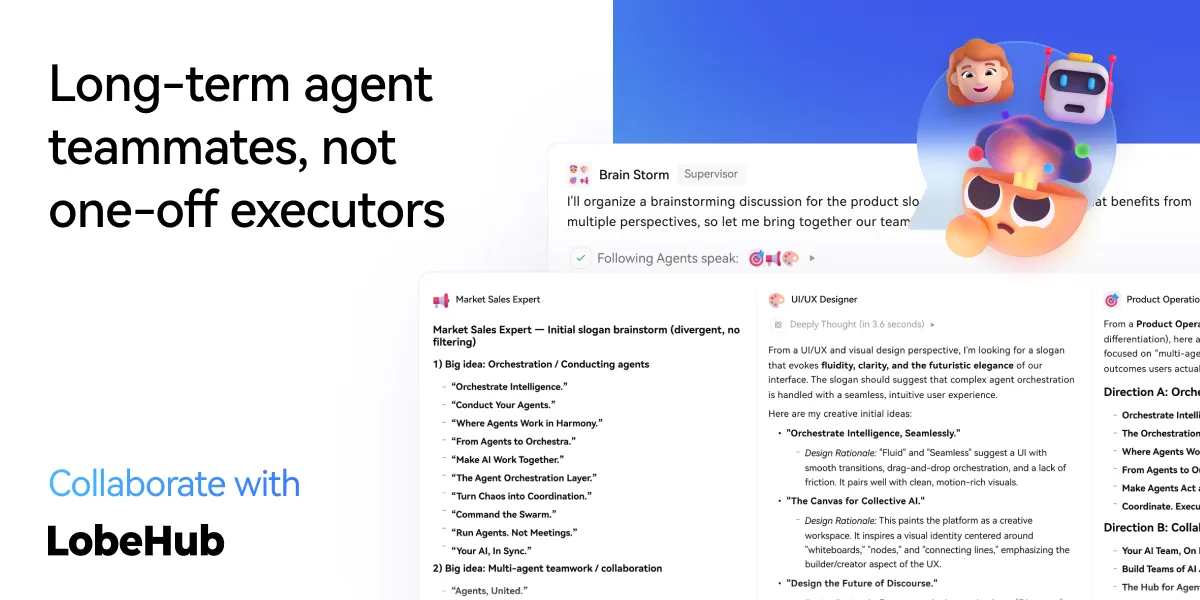
Collaborate: Scale New Forms of Collaboration Networks
LobeHub introduces Agent Groups, allowing you to work with agents like real teammates. The system assembles the right agents for the task, enabling parallel collaboration and iterative improvement.
- Pages: Write and refine content with multiple agents in one place with a shared context.
- Schedule: Schedule runs and let agents do the work at the right time, even while you are away.
- Project: Organize work by project to keep everything structured and easy to track.
- Workspace: A shared space for teams to collaborate with agents, ensuring clear ownership and visibility across the organization.
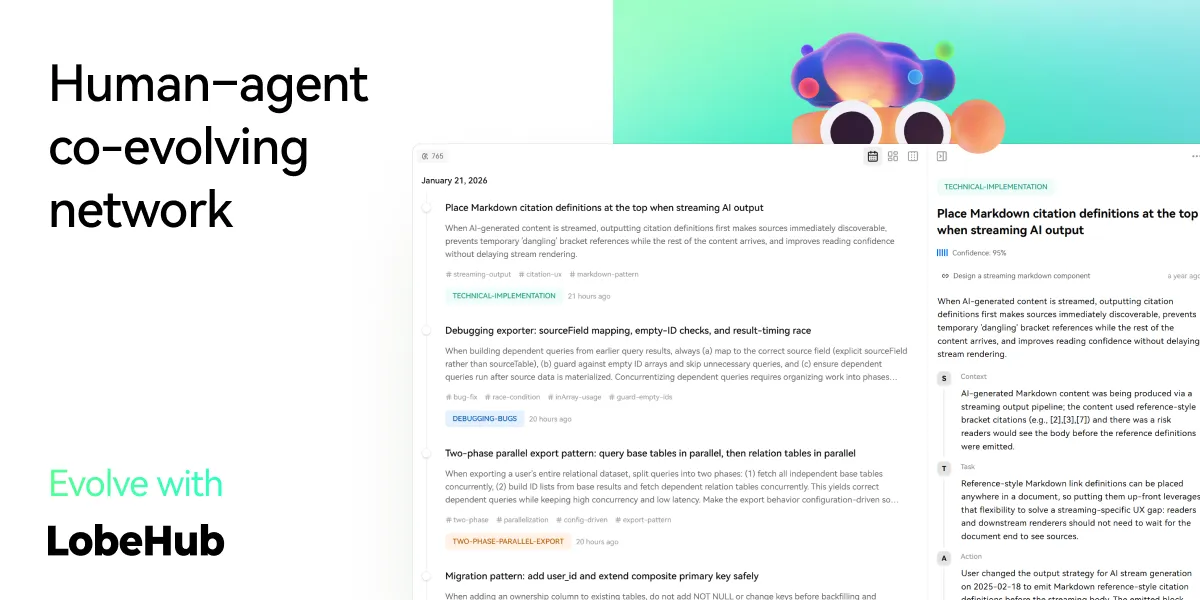
Evolve: Co-evolution of Humans and Agents
The best AI is one that understands you deeply. LobeHub features Personal Memory that builds a clear understanding of your needs.
- Continual Learning: Your agents learn from how you work, adapting their behavior to act at the right moment.
- White-Box Memory: We believe in transparency. Your agents use structured, editable memory, giving you full control over what they remember.
✨ more features will be added when LobeHub evolve.
🛳 Self Hosting
LobeHub provides Self-Hosted Version with Vercel, Alibaba Cloud, and Docker Image. This allows you to deploy your own chatbot within a few minutes without any prior knowledge.
[!TIP]
Learn more about 📘 Build your own LobeHub by checking it out.
A Deploying with Vercel, Zeabur , Sealos or Alibaba Cloud
"If you want to deploy this service yourself on Vercel, Zeabur or Alibaba Cloud, you can follow these steps:
- Prepare your OpenAI API Key.
- Click the button below to start deployment: Log in directly with your GitHub account, and remember to fill in the
OPENAI_API_KEY(required) on the environment variable section. - After deployment, you can start using it.
- Bind a custom domain (optional): The DNS of the domain assigned by Vercel is polluted in some areas; binding a custom domain can connect directly.
| Deploy with Vercel | Deploy with Zeabur | Deploy with Sealos | Deploy with RepoCloud | Deploy with Alibaba Cloud |
|---|---|---|---|---|
 |
 |
 |
 |
After Fork
After fork, only retain the upstream sync action and disable other actions in your repository on GitHub.
Keep Updated
If you have deployed your own project following the one-click deployment steps in the README, you might encounter constant prompts indicating "updates available." This is because Vercel defaults to creating a new project instead of forking this one, resulting in an inability to detect updates accurately.
[!TIP]
We suggest you redeploy using the following steps, 📘 Auto Sync With Latest
B Deploying with Docker


We provide a Docker image for deploying the LobeHub service on your own private device. Use the following command to start the LobeHub service:
- create a folder to for storage files
$ mkdir lobehub-db && cd lobehub-db
- init the LobeHub infrastructure
bash <(curl -fsSL https://lobe.li/setup.sh)
- Start the LobeHub service
docker compose up -d
[!NOTE]
For detailed instructions on deploying with Docker, please refer to the 📘 Docker Deployment Guide
Environment Variable
This project provides some additional configuration items set with environment variables:
| Environment Variable | Required | Description | Example |
|---|---|---|---|
OPENAI_API_KEY |
Yes | This is the API key you apply on the OpenAI account page | sk-xxxxxx...xxxxxx |
OPENAI_PROXY_URL |
No | If you manually configure the OpenAI interface proxy, you can use this configuration item to override the default OpenAI API request base URL | https://api.chatanywhere.cn or https://aihubmix.com/v1 The default value is https://api.openai.com/v1 |
OPENAI_MODEL_LIST |
No | Used to control the model list. Use + to add a model, - to hide a model, and model_name=display_name to customize the display name of a model, separated by commas. |
qwen-7b-chat,+glm-6b,-gpt-3.5-turbo |
[!NOTE]
The complete list of environment variables can be found in the 📘 Environment Variables
📦 Ecosystem
| NPM | Repository | Description | Version |
|---|---|---|---|
| @lobehub/ui | lobehub/lobe-ui | Open-source UI component library dedicated to building AIGC web applications. |  |
| @lobehub/icons | lobehub/lobe-icons | Popular AI / LLM Model Brand SVG Logo and Icon Collection. |  |
| @lobehub/tts | lobehub/lobe-tts | High-quality & reliable TTS/STT React Hooks library |  |
| @lobehub/lint | lobehub/lobe-lint | Configurations for ESlint, Stylelint, Commitlint, Prettier, Remark, and Semantic Release for LobeHub. |  |
🧩 Plugins
Plugins provide a means to extend the Function Calling capabilities of LobeHub. They can be used to introduce new function calls and even new ways to render message results. If you are interested in plugin development, please refer to our 📘 Plugin Development Guide in the Wiki.
- lobe-chat-plugins: This is the plugin index for LobeHub. It accesses index.json from this repository to display a list of available plugins for LobeHub to the user.
- chat-plugin-template: This is the plugin template for LobeHub plugin development.
- @lobehub/chat-plugin-sdk: The LobeHub Plugin SDK assists you in creating exceptional chat plugins for LobeHub.
- @lobehub/chat-plugins-gateway: The LobeHub Plugins Gateway is a backend service that provides a gateway for LobeHub plugins. We deploy this service using Vercel. The primary API POST /api/v1/runner is deployed as an Edge Function.
[!NOTE]
The plugin system is currently undergoing major development. You can learn more in the following issues:
- Plugin Phase 1: Implement separation of the plugin from the main body, split the plugin into an independent repository for maintenance, and realize dynamic loading of the plugin.
- Plugin Phase 2: The security and stability of the plugin's use, more accurately presenting abnormal states, the maintainability of the plugin architecture, and developer-friendly.
- Plugin Phase 3: Higher-level and more comprehensive customization capabilities, support for plugin authentication, and examples.
⌨️ Local Development
You can use GitHub Codespaces for online development:

Or clone it for local development:
$ git clone https://github.com/lobehub/lobehub.git
$ cd lobehub
$ pnpm install
$ pnpm dev          # Full-stack (Next.js + Vite SPA)
$ bun run dev:spa   # SPA frontend only (port 9876)
Debug Proxy: After running
dev:spa, the terminal prints a proxy URL likehttps://app.lobehub.com/_dangerous_local_dev_proxy?debug-host=http%3A%2F%2Flocalhost%3A9876. Open it to develop locally against the production backend with HMR.
If you would like to learn more details, please feel free to look at our 📘 Development Guide.
🤝 Contributing
Contributions of all types are more than welcome; if you are interested in contributing code, feel free to check out our GitHub Issues and Projects to get stuck in to show us what you're made of.
[!TIP]
We are creating a technology-driven forum, fostering knowledge interaction and the exchange of ideas that may culminate in mutual inspiration and collaborative innovation.
Help us make LobeHub better. Welcome to provide product design feedback, user experience discussions directly to us.
Principal Maintainers: @arvinxx @canisminor1990




|
|
|
|---|---|
|
|
|
|
❤️ Sponsor
Every bit counts and your one-time donation sparkles in our galaxy of support! You're a shooting star, making a swift and bright impact on our journey. Thank you for believing in us – your generosity guides us toward our mission, one brilliant flash at a time.

🔗 More Products
- 🅰️ Lobe SD Theme: Modern theme for Stable Diffusion WebUI, exquisite interface design, highly customizable UI, and efficiency-boosting features.
- ⛵️ Lobe Midjourney WebUI: WebUI for Midjourney, leverages AI to quickly generate a wide array of rich and diverse images from text prompts, sparking creativity and enhancing conversations.
- 🌏 Lobe i18n : Lobe i18n is an automation tool for the i18n (internationalization) translation process, powered by ChatGPT. It supports features such as automatic splitting of large files, incremental updates, and customization options for the OpenAI model, API proxy, and temperature.
- 💌 Lobe Commit: Lobe Commit is a CLI tool that leverages Langchain/ChatGPT to generate Gitmoji-based commit messages.
📝 License

Copyright © 2026 LobeHub.
This project is LobeHub Community License licensed.